
AIプロンプトから使える素材へ
ChatGPT生成のグリッド画像をゲーム用スプライト、UI部品、デザイン素材に。プロンプトをコピーし、結果を分割して各部分を書き出します。
そのまま使えるAIプロンプト
これらのプロンプトをChatGPT、DALL-E、Midjourneyへそのままコピーして、グリッド状の素材を生成できます。すべて透明な背景を指定しており、それによって スプライトシートスライサー スプライトの縁を自動で見つけます。
Game Sprites
グリッドに適したプロンプト: game sprites
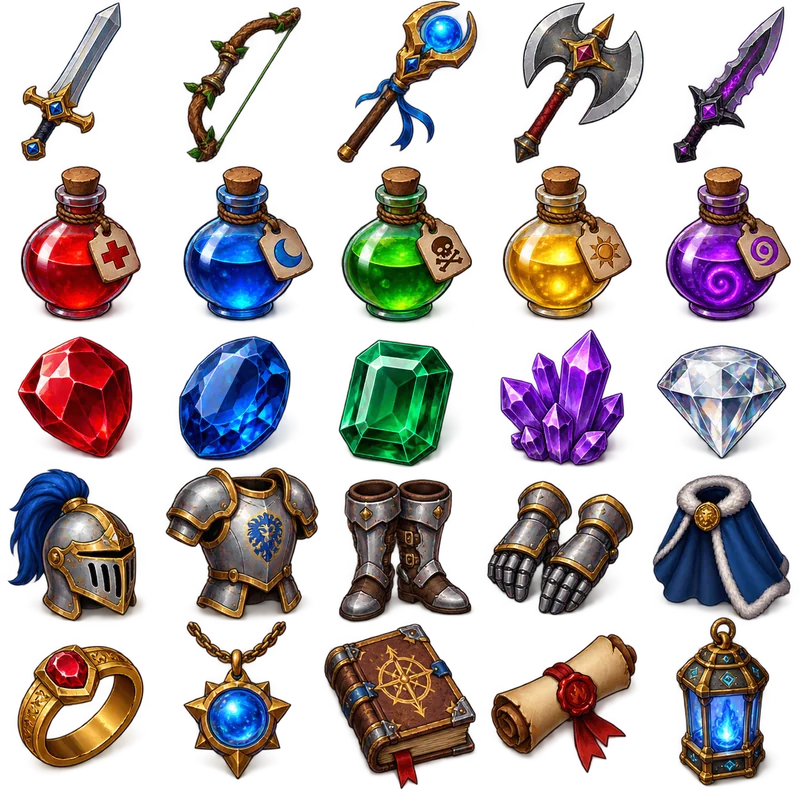
Item Collection Grid
"Generate a collection of fantasy RPG items arranged in a 5x5 grid format. The final image must be exactly 1024x1024 pixels, with each item exactly 128x128 pixels and aligned within the grid. Include: weapons (swords, bows, staffs), potions (health, mana, poison), gems (ruby, sapphire, emerald), armor pieces, and magical artifacts. Use a consistent isometric perspective and fantasy art style, with vibrant colors and subtle shadows. Items should be clearly distinguishable and game-ready. Transparent background."
UI Elements
グリッドに適したプロンプト: ui elements

Icon Pack Grid
"Design a colour icon pack in a 5×5 grid, totaling 25 essential icons. Include: home, settings, user, search, notification, download, upload, edit, delete, save, share, like, comment, calendar, email, phone, location, camera, video, music, document, folder, lock, unlock, and help. Use a consistent line-based style with uniform stroke weight and a single-color palette. The final image should be 1024×1024 pixels with a transparent background. Do not include any text, labels, or titles — only show the assets"
Patterns & Textures
グリッドに適したプロンプト: patterns & textures
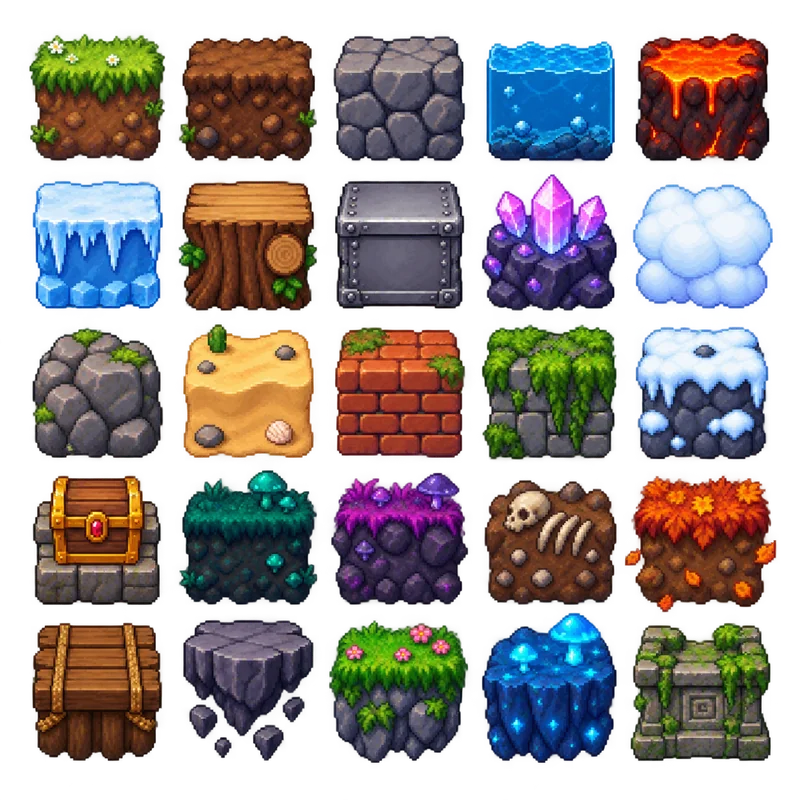
Game Environment Tiles
"Generate a pixel art environment tile set for a 2D platformer game arranged in a perfect 5×5 grid, totaling 25 tiles. The final image must be exactly 1024×1024 pixels, with each tile exactly 128×128 pixels and perfectly aligned within the grid. Maintain equal transparent padding so no tiles touch. Include grass, dirt, stone, water, lava, ice, wood, metal, crystal, cloud, rock, sand, brick, moss, snow, treasure chest, and additional fantasy-themed terrain. Use a consistent pixel art style with identical pixel density, vibrant colors, and proper shading for all tiles. Ensure every tile has the same scale, lighting, and perspective. Do not include any text or labels — only the assets. Transparent background."
Marketing & Social Media
グリッドに適したプロンプト: marketing & social media
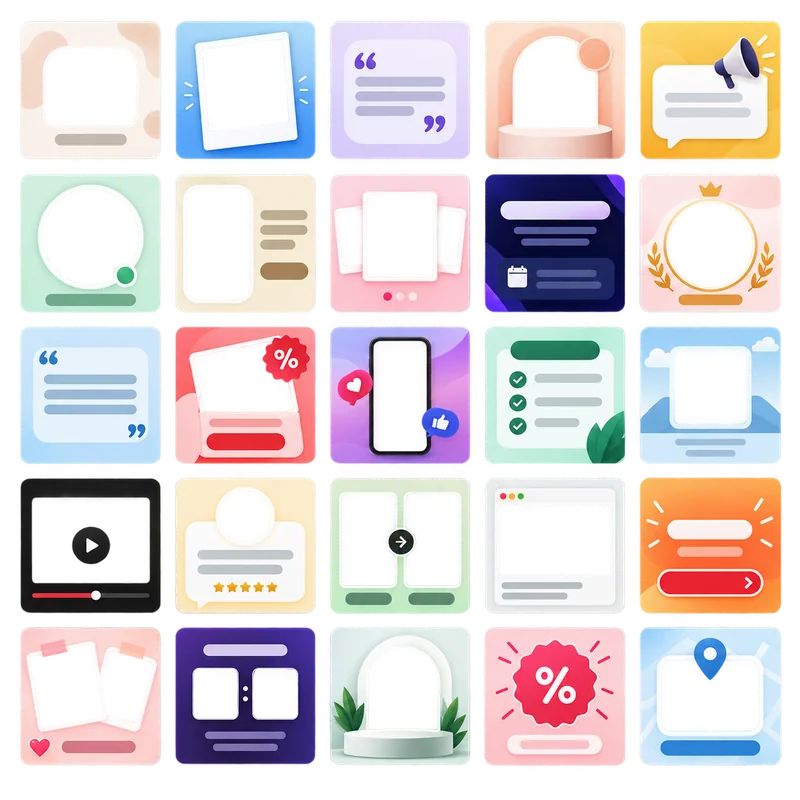
Social Media Post Templates
"Create a collection of 25 modern social media post templates arranged in a perfect 5×5 grid. The final image must be exactly 1024×1024 pixels, with each template exactly 128×128 pixels and perfectly aligned within the grid. Maintain equal transparent padding so no templates touch, with consistent margins on all sides. Include diverse layouts across the set: minimal text overlay, photo frame, quote card, product showcase, announcement banner, story highlight, event promotion, brand spotlight, call-to-action post, and other creative variations. Use a clean, contemporary design with consistent typography styles, modern gradients, and consistent spacing. Apply brand-friendly color schemes (pastels, bold accents, monochrome variations). Ensure all templates share the same scale, style, and lighting. Leave placeholder areas for both text and images without including any actual text or branding. Transparent background."
3ステップの作業手順
グリッド画像を生成し、次で切り分けます スプライトシートスライサー、各パーツを書き出します
AIで生成
ChatGPTかDALL-Eで素材グリッドを作成
- 以下のプロンプトのいずれかをコピー
- ChatGPTまたはDALL-Eへ貼り付け
- 生成したグリッド画像をダウンロード
- 高解像度で保存(最大2560×2560、PNG推奨)
スプライトシートスライサーで処理
AI生成画像をアップロードして分割
- AI生成画像をアップロード(256×256〜2560×2560)
- グリッド線が隙間に入るまでドラッグ
- 出力形式と画質を選択
- 個別の素材ファイルを生成
書き出して使用
ダウンロードしてプロジェクトに導入
- 個別ファイルまたはZIPでダウンロード
- ゲームエンジンまたはデザインツールへ取り込む
- 必要ならさらに最適化
- アプリケーションに導入
生成ツールが透明ではなく単色の背景を返した場合は、次で消去してください 背景削除 分割前に行います。シート全体への1回の処理は、各タイルごとの処理より効率的です。逆に、切り出したタイルは次で均一な1シートに詰め直せます: スプライトシート生成.
ヒントとベストプラクティス
プロンプトに入れる内容と、画像ができた後に行うこと
書き出し設定ガイド
用途やプラットフォームごとに適切な書き出し設定
PNGゲーム開発
ピクセルアートやスプライトのくっきりした端を保持
WebPウェブアプリケーション
画質と読み込み速度の最適なバランス
PNG印刷デザイン
アルファチャンネルを保持した印刷用素材
WebPモバイルアプリ
モバイルでの読み込み時間を抑えられる小ささ
スプライトシートスライサーはPNG、JPG、WebPを直接書き出します。後から形式を変更する場合や、タイルのフォルダー全体を一括変換する場合は、こちらを使ってください: 画像変換;画質の数値を手動で選ばずに、ファイルをサイズの上限内へ縮小するには、次を使ってください 画像圧縮.
グリッドを切り分けますか?
プロンプトをコピーしてグリッド画像を生成し、スプライトシートスライサーへドロップしてください。アップロードはされず、切り分けはブラウザー内で行われます。